Radiology PACS Cost Guide: What Hospitals Actually Pay
Complete radiology PACS pricing guide: on-premise vs cloud licenses, server sizing, and hidden maintenance costs. Calculate real TCO before buying.
Quick answer
What to know before reading further
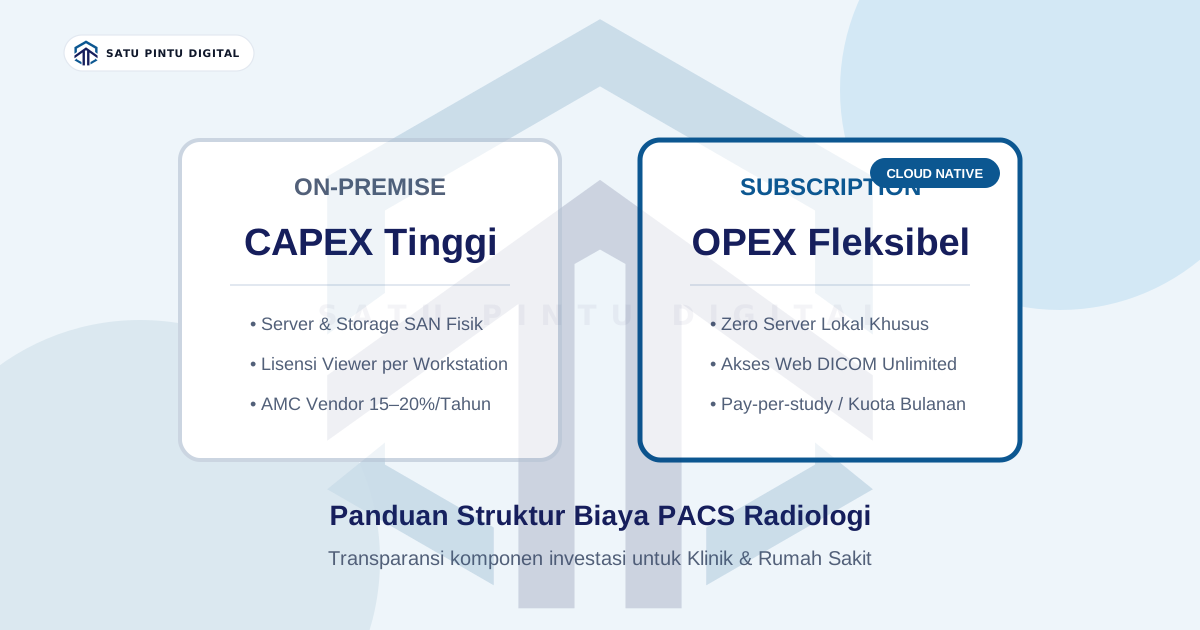
- On-premise PACS entails significant upfront capital expenditure (CAPEX) for dedicated servers, per-workstation viewer licenses, and recurring maintenance contracts.
- Cloud-native PACS transforms medical imaging budgets into flexible operational expenditure (OPEX) based on examination volume or monthly subscription tiers without local servers.
Why is PACS pricing so difficult to pinpoint?
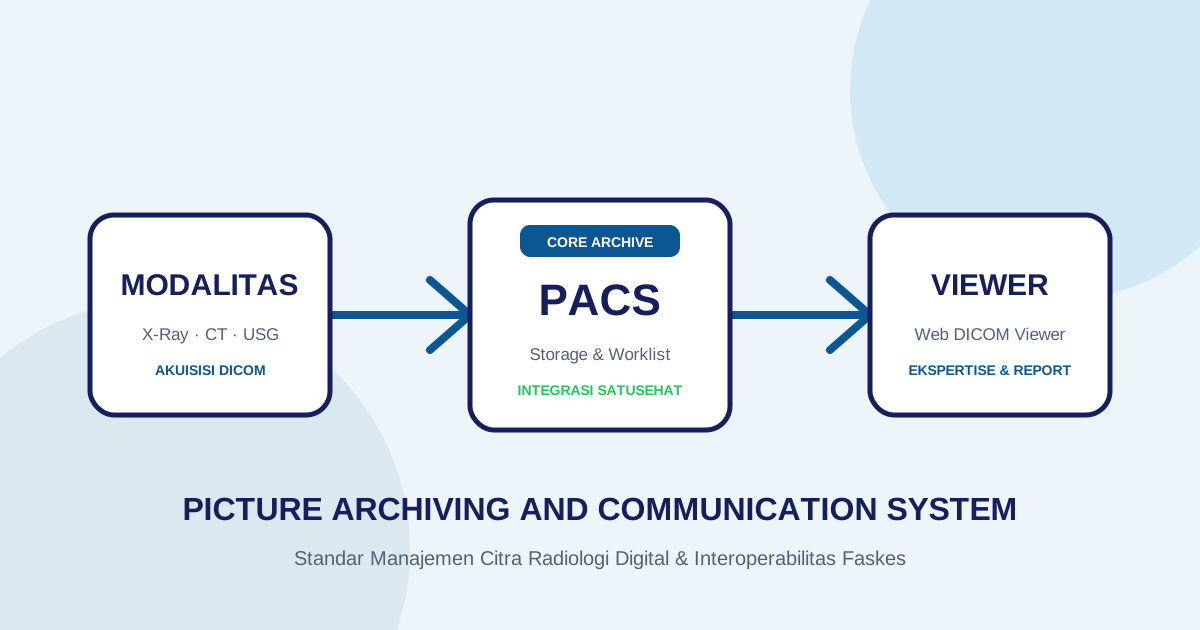
For healthcare executives and clinic managers evaluating radiology digital transformation for the first time, identifying the true cost of a Picture Archiving and Communication System (PACS) is often frustrating. Unlike modern SaaS enterprise tools that publish transparent subscription tiers, conventional PACS vendors almost universally require extensive inquiry forms, discovery calls, and customized sales proposals.
This opacity stems from historical software packaging. Traditional on-premise PACS architectures are modular and parameter-heavy: pricing scales based on the number of connected imaging modalities (X-Ray, CT, Ultrasound), licensed diagnostic viewing workstations, long-term storage requirements, and hospital information system (HIS/EMR) integration complexity.
Without realistic benchmark data, healthcare procurement teams struggle to construct viable capital budgets. This guide breaks down the true cost components of PACS acquisition, compares on-premise capital expenditure (CAPEX) with cloud-native operational models (OPEX), and highlights the hidden expenses frequently omitted from preliminary vendor quotes.
1. The Conventional Route: On-Premise Capital Investment (CAPEX)
In an on-premise deployment model, all physical server hardware, storage infrastructure, and software licenses are purchased upfront and hosted inside your facility’s local server room.
The major cost components include:
A. Core Server Software Licensing
Vendors charge for the primary PACS archive and routing software license. For conventional enterprise systems, server license fees range widely from $6,000 to $25,000+ depending on functional modules and facility scale.
B. Modality Connection Fees
Many legacy vendors charge licensing fees per modality node connected to the PACS network. Connecting a basic digital radiography (DR) unit often incurs an independent connection license compared to a multi-slice CT or MRI scanner.
C. Diagnostic Workstation and Viewer Licenses
This is frequently where procurement budgets encounter unexpected inflation. Viewer software is typically gated under one of two licensing paradigms:
- Named Workstation Licenses: Software is tied to specific physical desktop workstations in the radiology reading room.
- Concurrent User Licenses: A finite pool of simultaneous viewers across the facility (e.g., 3 concurrent viewers). Expanding viewer access to emergency rooms, outpatient clinics, or mobile tablets demands additional per-seat license purchases.
D. Physical Server Hardware and SAN/NAS Storage
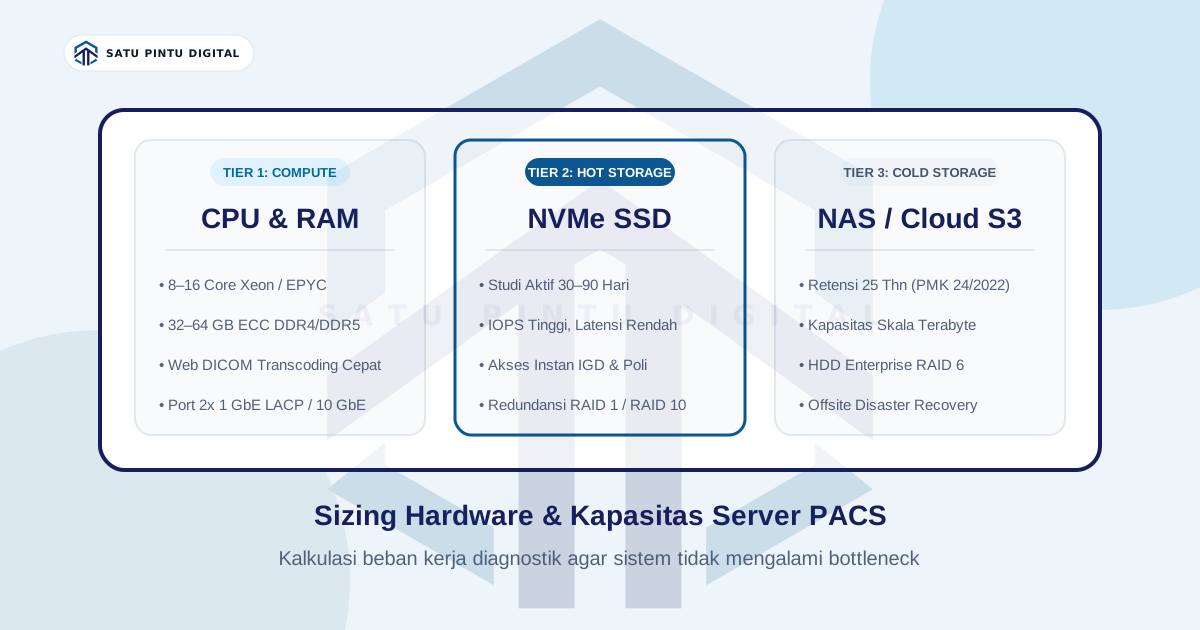
PACS workloads require dedicated computing capacity capable of decoding, indexing, and serving high-resolution binary DICOM studies rapidly:
- Compute Server: Multi-core server processors (Intel Xeon / AMD EPYC), 32 GB to 64 GB ECC RAM, and redundant power supplies.
- Tiered Storage Arrays: Enterprise NVMe solid-state storage for active examinations within the initial 30 days paired with RAID-configured Network Attached Storage (NAS) or SAN (Storage Area Network) arrays to satisfy 25-year statutory medical record retention mandates under Permenkes 24/2022.
2. Hidden Operating Costs Often Overlooked
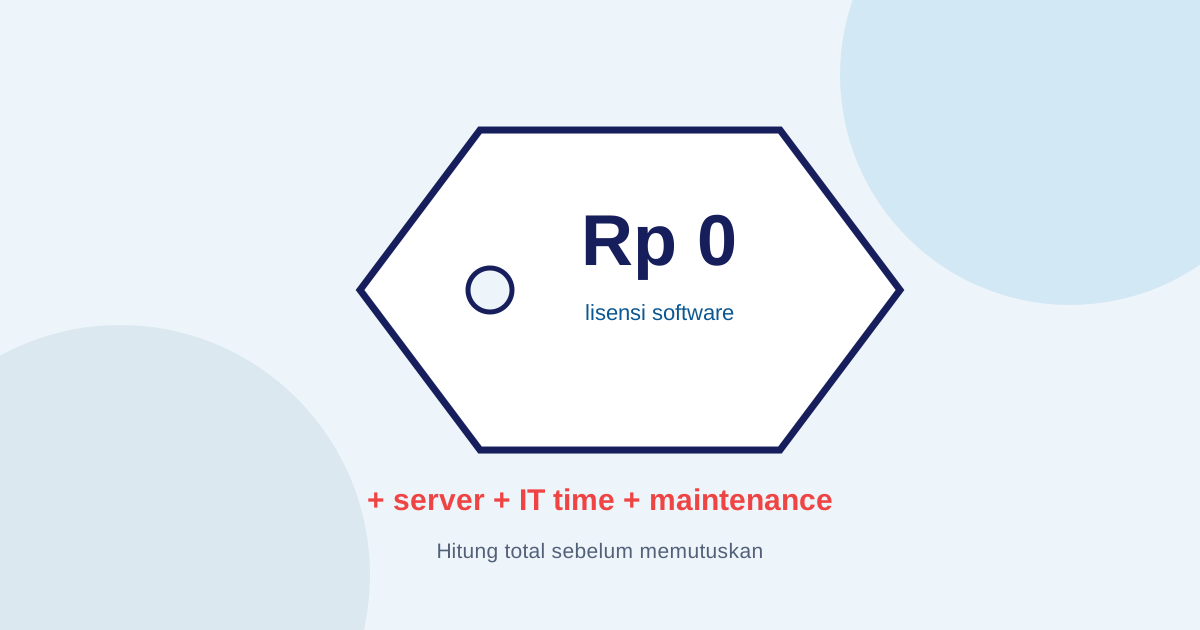
Many healthcare facilities calculate only the initial hardware and software invoices, encountering budget strain during the second year of operation. Essential ongoing expenses include:
- Annual Maintenance Contracts (AMC):
Most on-premise vendors mandate annual service agreements averaging 15% to 20% of the core software license value annually. Halting AMC payments typically terminates technical support, emergency bug fixes, and regulatory updates. - Datacenter Power and Climate Control:
On-premise servers and enterprise disk arrays run continuously, demanding dedicated server-room air conditioning and uninterruptible power supply (UPS) infrastructure. - Internal IT Engineering Overhead:
Managing local RAID integrity, executing daily offsite backup rotations, and troubleshooting database service interruptions requires experienced in-house system administration. - Custom Regulatory Bridging Modules:
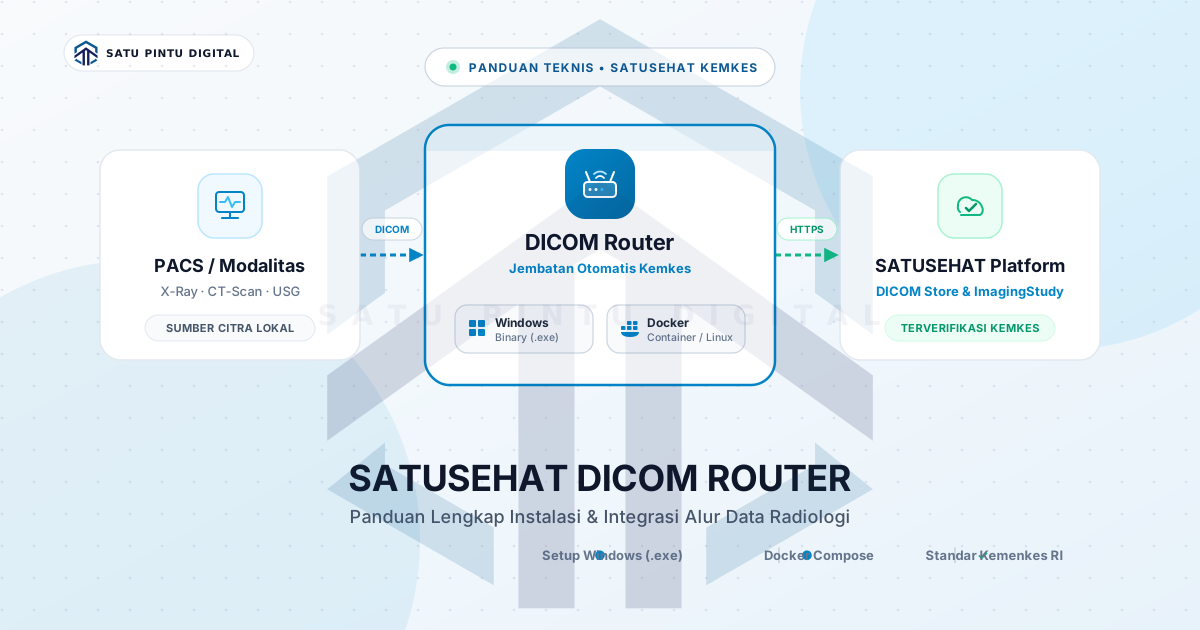
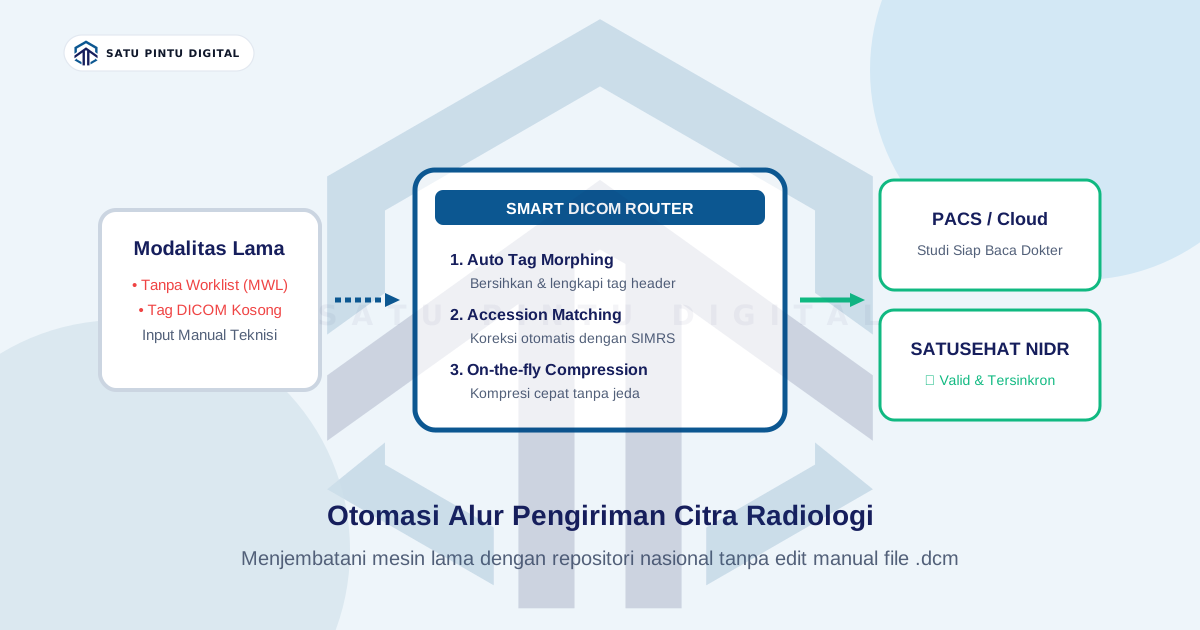
When national healthcare authorities introduce mandatory imaging exchange platforms (such as Indonesia’s SATUSEHAT NIDR), legacy PACS setups often require costly custom middleware or bridging service licenses from third-party integrators.
3. The Modern Route: Cloud-Native PACS (OPEX Model)
Modern web architectures have enabled cloud-native PACS platforms. In this model, study indexing, DICOM routing engines, and redundant archival storage are managed on scalable cloud infrastructure provided as a service.
Healthcare facilities eliminate upfront hardware purchases, shifting expenditure to predictable operating costs (OPEX):
| Evaluation Criteria | Conventional On-Premise | Cloud-Native Platform |
|---|---|---|
| Upfront Investment (CAPEX) | High initial hardware & license outlay | Zero to negligible capital barrier |
| Local Server Requirement | Mandatory dedicated server & storage | Zero local server maintenance |
| Payment Model | Permanent software license purchase | Monthly subscription / pay-per-study |
| Viewer Accessibility | Restricted to licensed workstations | Zero-footprint web viewer (browser-based) |
| System Upgrades | Annual AMC fees required | Automatic, continuous feature updates |
| National Integration | Requires local router installation | Built-in regulatory sync pipelines |
Cloud PACS subscription pricing typically ranges from $1.00 to $2.50 per completed imaging study, or predictable monthly bundles tailored for community hospitals and independent imaging clinics.
4. Budget Framework: Which Approach Fits Your Institution?
Choosing the optimal architectural strategy depends directly on your examination volume and existing IT maturity:
Scenario A: Outpatient Clinics or Community Hospitals (<500 Studies/Month)
- Committing substantial capital to physical server hardware and vendor licensing creates a multi-year amortization burden with substantial depreciation risk.
- Recommendation: Adopt a cloud-native PACS model with flexible subscription tiers. Facilities gain instantaneous web DICOM access and immediate regulatory compliance without dedicated IT systems staff.
Scenario B: High-Volume Tertiary or Academic Medical Centers (>2,500 Studies/Month)
- Institutions with multi-modality radiology departments (multiple CT, MRI, Cath labs) and established 24/7 internal network engineering teams.
- Recommendation: A hybrid or dedicated local deployment may be justifiable to maintain gigabit transfer speeds over local fiber infrastructure within operative suites.
Conclusion
Evaluating PACS pricing requires looking beyond preliminary vendor software quotes. Facilities must project their comprehensive 5-year Total Cost of Ownership (TCO)—encompassing server depreciation, storage expansion, viewer licensing limits, electricity, maintenance agreements, and mandatory national health integration compliance.
For healthcare providers seeking financial agility and rapid deployment, cloud-native architectures eliminate infrastructure risks and enable reliable imaging workflows from day one.
Imagestro-PACS provides a transparent, cloud-native medical imaging platform engineered for healthcare facilities in Indonesia. It eliminates on-premise server burdens, offers unrestricted web viewer access, and includes pre-configured SATUSEHAT synchronization. You can explore capacity tiers and initiate operational evaluation via the Imagestro-PACS free tier.
Key terms
Quick glossary
- CAPEX
- Capital Expenditure — upfront capital investment for physical assets such as on-premise servers, permanent software licenses, and network storage hardware.
- OPEX
- Operational Expenditure — ongoing operational costs paid periodically according to service consumption, such as cloud platform subscriptions.
- AMC (Annual Maintenance Contract)
- Mandatory recurring maintenance fees paid to software vendors (typically 15–20% of the core software license value) for technical support and version updates.
- Concurrent Viewer License
- A software licensing model that caps how many physicians or workstations can simultaneously open diagnostic imaging viewers across a facility.
Read the sources
References and documentation
- RSNA Radiology Informatics Technology Assessment Guidelines for cost evaluation, licensing models, and lifecycle management of PACS/RIS infrastructure.
- Healthcare Information and Management Systems Society (HIMSS) Enterprise digital maturity standards and Total Cost of Ownership benchmarks for hospital information systems.
- Ministry of Health SATUSEHAT DICOM Platform Indonesian national health data repository compliance and architecture standards.
Frequently asked
Questions teams ask before implementation
- Why do legacy PACS vendors rarely publish pricing transparently on their websites?
- Legacy PACS pricing depends heavily on numerous custom parameters including connected modality nodes, workstation viewer seats, archive storage capacity, and customized integration with existing hospital information systems (HIS/EMR).
- How much does annual PACS maintenance typically cost for on-premise deployments?
- Industry-standard Annual Maintenance Contracts (AMC) average 15% to 20% of the software license value annually, excluding server electricity, datacenter cooling, and physical hard drive replacements.
- Can small medical clinics or outpatient facilities adopt PACS on a limited budget?
- Yes. Cloud-native PACS platforms offer starter tiers or pay-per-study models, eliminating the capital requirement for dedicated physical servers and proprietary diagnostic workstations.
Transmit Radiology to SATUSEHAT Without the Setup Hassle
Connect your clinical imaging workflow—from modality worklists and automated accession numbers to web DICOM viewing and SATUSEHAT synchronization. Free Tier available for clinics and hospitals.
Content cluster