Dedicated Server, VPS, and Cloud: Differences and How to Choose
Choosing between a dedicated server, VPS, and cloud? This guide compares all three on cost, performance, and control so your business can make the right call.
Quick answer
What to know before reading further
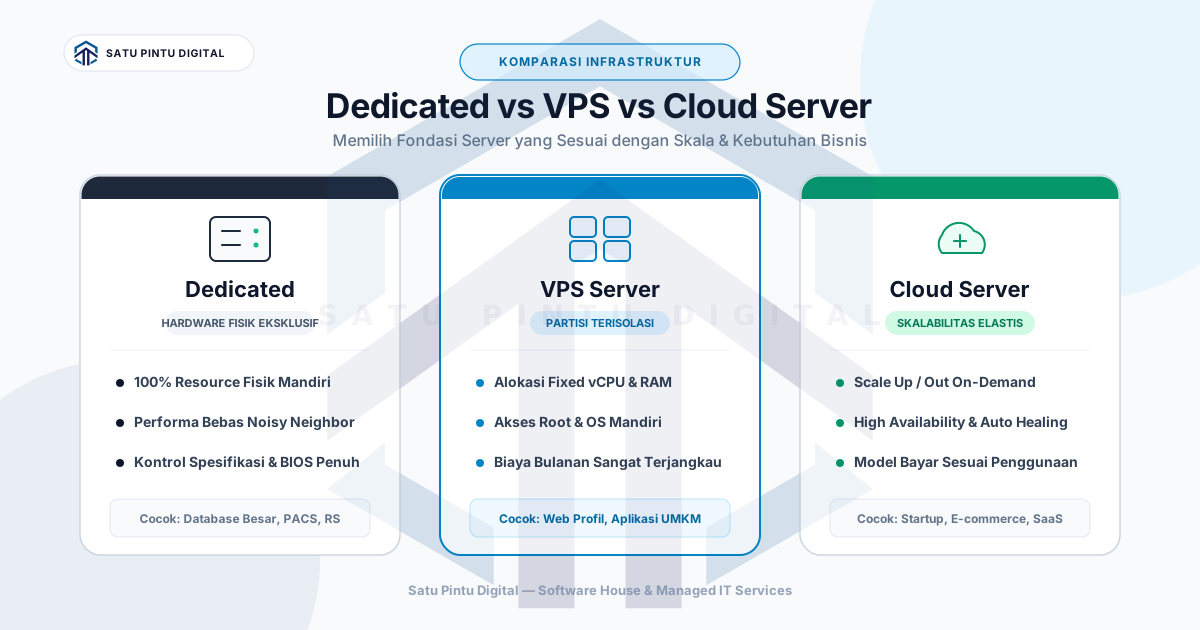
- A dedicated server gives exclusive, unshared performance; a VPS provides isolation at a lower cost; and a cloud server enables dynamic scaling on demand. The right choice depends on workload patterns, budget, and how much infrastructure control the business needs.
When choosing server infrastructure for a business, three options almost always come up: dedicated server, VPS, and cloud server. All three ultimately provide compute, storage, and network. But how they work, what they cost, and where they work best are quite different.
This article covers all three practically — including a comparison table and a decision guide based on actual business conditions, not trends.
Dedicated Server: Exclusive Performance, Full Responsibility
A dedicated server means one physical machine is allocated entirely to one tenant — your business. No sharing of CPU, RAM, or storage with anyone else.
Key characteristics:
- No shared resources (no noisy neighbor problem)
- Most consistent performance of the three options
- Full control over hardware and OS configuration
- Fixed monthly cost regardless of how much of the resource is used
- Typically requires a longer-term contract commitment
Upside: If your workload is large and consistent, a dedicated server is often more cost-effective than an always-on cloud instance. There is no performance variability caused by other tenants’ activity.
Downside: Scaling is slow — adding capacity means adding physical hardware, which takes time. If the machine fails, the entire service is affected. And you pay for those resources 24/7 even when they are idle.
VPS: Isolation at a More Reasonable Cost
A VPS (Virtual Private Server) is a virtual server created from a larger physical machine using virtualization technology (such as KVM or VMware). One physical machine can run many VPS instances, but each VPS has exclusively allocated resources — CPU cores, RAM, and storage are not shared in real time.
Key characteristics:
- Resources isolated per tenant (better than shared hosting)
- Significantly lower cost than dedicated
- Free OS and software configuration like dedicated
- Some noisy neighbor risk at the hardware level (rare, but exists)
- Vertical scaling (adjusting specs) is relatively straightforward
Upside: A VPS is the sweet spot for businesses that need control and isolation without the dedicated server budget. It works well for web applications, backend APIs, small to mid-sized databases, or staging environments.
Downside: Performance can fluctuate if the provider oversells resources. It is important to choose a provider that is transparent about their overselling ratios.
Cloud Server: Maximum Flexibility, Dynamic Costs
A cloud server (often called a cloud instance or virtual machine) runs on large-scale infrastructure from providers like AWS, Google Cloud Platform, Azure, or DigitalOcean. The key difference from a conventional VPS: cloud infrastructure is designed for elasticity — resources can scale up or down in minutes.
Key characteristics:
- Pay-as-you-go — billed based on actual usage
- On-demand scaling, both vertical and horizontal
- Broad ecosystem of managed services (database, storage, CDN, AI, etc.)
- Multi-region and geo-distributed natively
- Costs can be unpredictable without proper governance
Upside: For unpredictable workloads or services with significant traffic spikes, cloud is far more efficient. Early-stage startups that do not yet know their long-term resource requirements are a natural fit.
Downside: Costs can spiral without cost governance in place. For large, consistent workloads, dedicated or VPS is often cheaper. There is also vendor lock-in risk if the business becomes too dependent on proprietary managed services from a single cloud provider.
Side-by-Side Comparison
| Aspect | Dedicated Server | VPS | Cloud Server |
|---|---|---|---|
| Cost | High, flat rate | Medium, flat rate | Variable (pay-as-you-go) |
| Performance | Most consistent | Stable (provider-dependent) | Dynamic, can fluctuate |
| Scalability | Slow (hardware-bound) | Moderate (may require reboot) | Fast (minutes) |
| Control | Full | Full (OS level) | Limited (platform-dependent) |
| Management | Manual or managed | Manual or managed | Manual or managed |
| Best for | Large/consistent workloads | Predictable workload, mid budget | Dynamic workload, fast scaling |
| Data residency | Easy to control | Easy to control | Requires region configuration |
When to Choose Each Option
Choose Dedicated If:
- Your CPU/RAM workload is large and does not change much month to month
- There are compliance or data residency requirements mandating a specific physical server location
- The application is latency-sensitive and cannot tolerate performance interference from other tenants
- You need direct hardware access — for GPU computing, specialized storage, or similar requirements
Choose VPS If:
- Budget is limited but you need more than shared hosting can offer
- Workload is predictable enough — no sudden scaling needs
- A small technical team needs full OS and configuration control
- Use cases include: web apps, backend APIs, CMS, small to mid-sized databases
Choose Cloud If:
- Traffic or workload fluctuates significantly (e.g., e-commerce with seasonal peaks)
- The team needs fast deployment across multiple regions
- You want to leverage a broad managed services ecosystem (database as a service, object storage, etc.)
- An early-stage startup that does not yet know its long-term resource footprint
The Role of Managed Services Across Server Types
Worth clarifying: choosing between dedicated, VPS, and cloud is one decision. Choosing between managed and unmanaged is a separate decision entirely.
Managed dedicated means you have an exclusive machine operated by a provider — patching, monitoring, hardening, and incident response are their responsibility.
Managed VPS gives you isolated resources with daily operations handled by the provider — suitable for teams that want control without the operational overhead.
Managed cloud typically comes in two forms: managed services from the cloud provider itself (such as AWS RDS for databases), or third-party management of your cloud workloads as a whole.
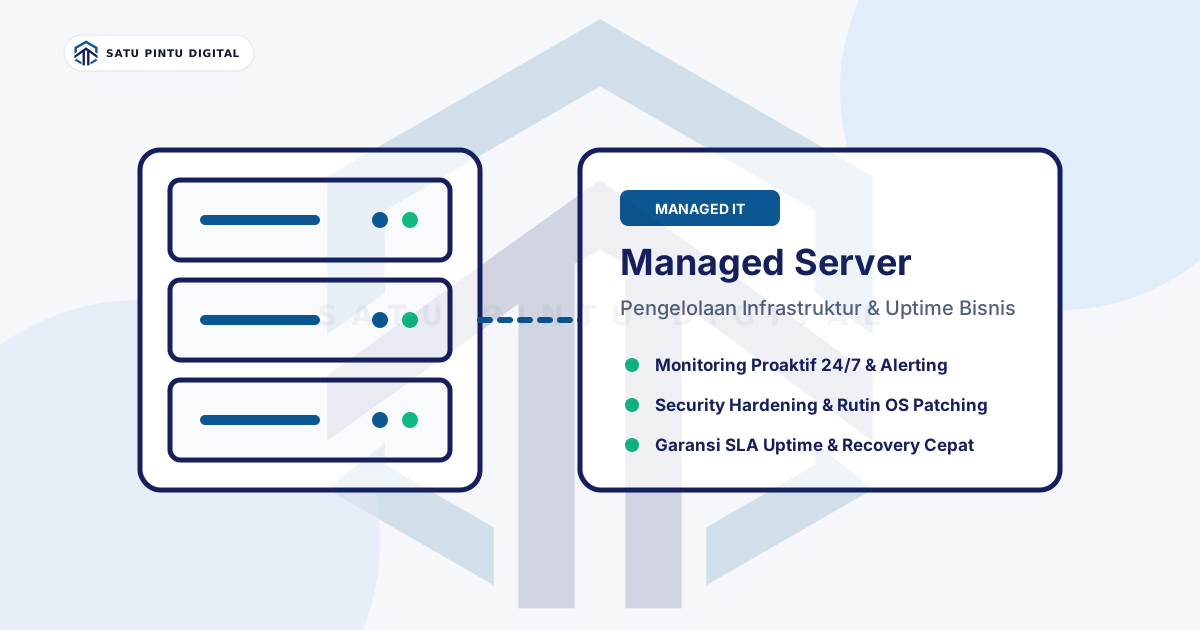
To understand what a managed server service actually covers day to day, read our article on what is a managed server. To see available services, visit the Satu Pintu Digital services page.
For technical reference on VPS, Cloudflare’s guide on virtual private servers is a solid vendor-neutral explanation used widely across the industry.
You Do Not Have to Choose Just One
Many mature businesses use a combination of all three: dedicated for databases that need consistent performance, VPS for staging and testing environments, and cloud for services requiring geo-distribution or rapid scaling. There is no rule that one infrastructure stack must use only one server type.
What matters is that the decision is based on actual requirements — not on which option sounds the most modern or appears cheapest on the surface.
No internal IT team to manage your servers? Satu Pintu Digital provides Managed Server services with uptime SLA, 24/7 monitoring, regular patching, and monthly reports that non-technical business owners can actually read.
Read the sources
References and documentation
Frequently asked
Questions teams ask before implementation
- Is a VPS better than shared hosting?
- Yes, for most business needs. A VPS provides isolated resources — CPU, RAM, and storage are not directly shared with other tenants. This makes performance more stable and allows full configuration control. Shared hosting is cheaper but more constrained and susceptible to being impacted by other users on the same machine.
- Can a cloud server fully replace a dedicated server?
- In many cases, yes. But there are scenarios where dedicated remains relevant: large, consistent workloads that are more cost-effective on dedicated than always-on cloud instances, strict data residency compliance requirements, or latency-sensitive applications that cannot tolerate the noisy neighbor effect on shared cloud infrastructure.
- What does managed dedicated or managed VPS mean?
- Managed dedicated or managed VPS means the server type is operated by a service provider, not just rented. The provider is responsible for OS patching, monitoring, firewall configuration, and incident response. The choice of server type (dedicated/VPS/cloud) and the choice of managed vs unmanaged are two separate decisions that can be combined in any way.
- What does a VPS or dedicated server typically cost?
- Costs vary widely depending on specifications and provider. Entry-level VPS can start from a few dollars per month; production-grade VPS commonly runs $20–80 per month. Dedicated servers typically start at $80–150 per month for entry configurations and scale significantly higher. Cloud is pay-as-you-go and depends entirely on actual usage.
This article is part of Satu Pintu Digital's field notes. The next article covers a related topic.
Keep reading