What Is a Managed Server and When Does a Business Need One?
A managed server is fully operated by an IT provider. Learn what it covers, how it differs from unmanaged hosting, and when your business actually needs one.
Quick answer
What to know before reading further
- A managed server is a server whose configuration, maintenance, patching, and monitoring is handled by an IT service provider rather than the business's internal team. It lets a business focus on operations without building in-house infrastructure expertise.
When your business server has a problem at 2 AM, who picks up the phone? If the answer is “no one” or “we wait until morning,” that is the starting point for understanding why managed server services matter for businesses that depend on digital systems.
What Is a Managed Server?
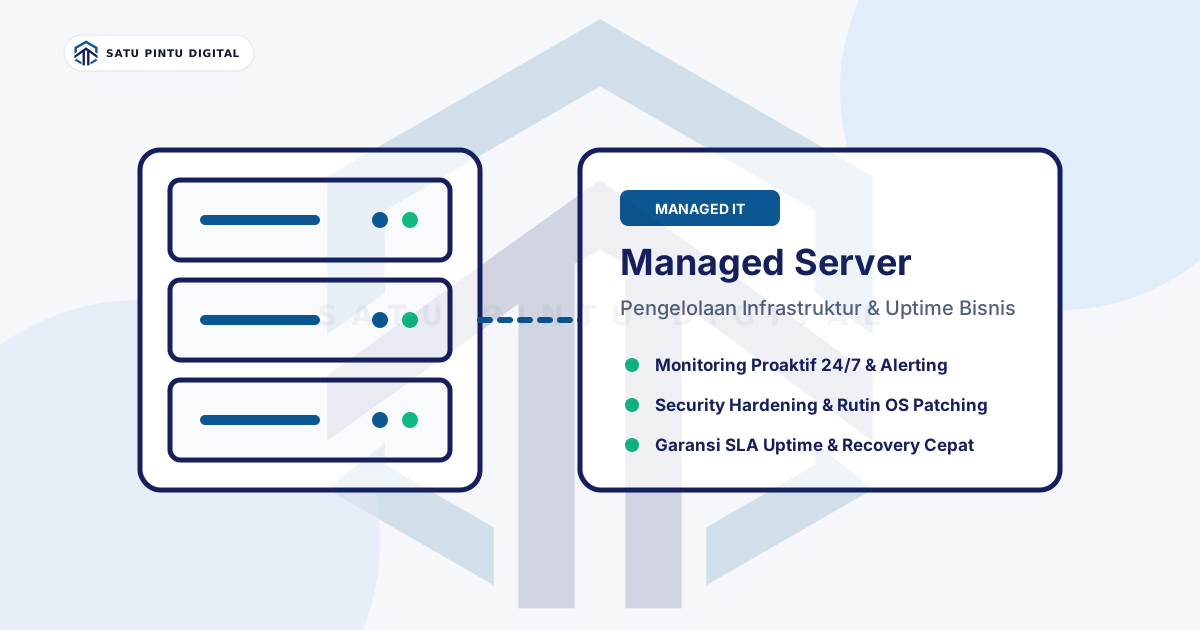
A managed server is a server — physical or virtual — whose day-to-day operational management is handled by a third-party IT service provider. “Management” here does not just mean renting rack space or bandwidth. It means actual accountability for:
- Provisioning — initial server setup configured for the business’s applications
- OS patching — keeping the operating system updated to close security vulnerabilities
- Hardening — initial configuration that reduces the attack surface
- Monitoring — 24/7 observation of uptime, performance, and anomalies
- Firewall & network rules — configuration and maintenance of access rules
- Backup coordination — ensuring data is backed up regularly and can be restored
- Incident response — handling problems when something stops working as expected
In short, a managed server moves the daily operational burden from the business’s internal team to a service provider that has the expertise and processes to handle it.
Managed vs Unmanaged Server: What Is the Actual Difference?
The distinction is simple, but its consequences are significant.
Unmanaged server means you rent hardware or compute resources, and you are entirely responsible for everything running on top of it. The provider guarantees network connectivity and physical machine availability — nothing more. OS crash? Your problem. A port left open that should be closed? Your problem. Security patches not applied? Still your problem.
Managed server shifts most of that responsibility to the service provider. The business remains the owner of its data and applications, but the infrastructure operations are run by a team that specializes in exactly that.
An analogy: an unmanaged server is like renting a bare building — you handle the electricity, HVAC, security, and plumbing. A managed server is like renting a fully serviced office — cleaning, security, and facility maintenance are already included.
Signs Your Business Already Needs a Managed Server
Not every business needs a managed server from day one. But there are recurring patterns that appear before a business eventually makes this decision:
1. Small or Nonexistent IT Team
If your business has only one IT staff member handling everything — from broken printers to server maintenance — infrastructure will never get enough attention. One person cannot monitor servers 24/7 while also handling daily helpdesk requests.
2. Downtime Happens and Nobody Knows Why
When a server goes down and the first response is “let’s try rebooting it,” that is a signal there is no proactive monitoring and no clear runbook. A managed server service ensures there is a structured diagnosis and response process in place.
3. No 24/7 Monitoring
Most server incidents happen outside business hours. Without automated monitoring that detects anomalies and sends alerts, problems only surface after users have already complained — not before.
4. Compliance Requirements Are Emerging
If your business is starting to deal with regulations — such as OJK requirements for fintech, or data security standards for clinics and hospitals — the infrastructure needs to be managed at a standard that can be audited. A good managed server provider typically already has processes and documentation that simplify audits.
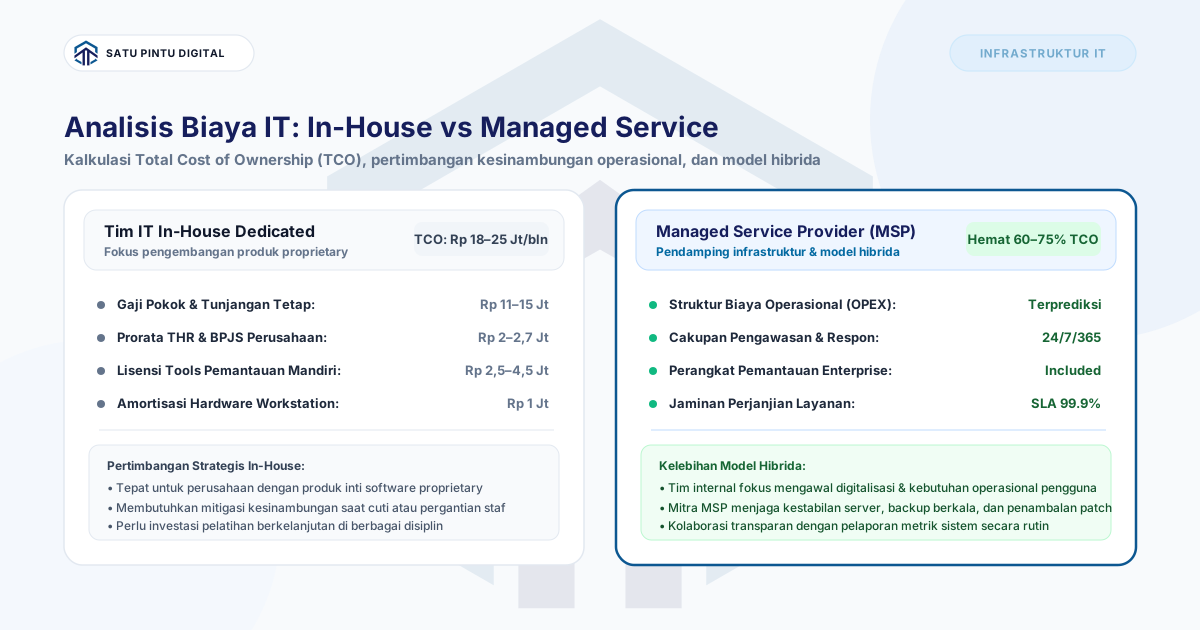
5. Recruiting IT Infrastructure Talent Doesn’t Make Financial Sense
An experienced sysadmin in Indonesia can cost IDR 8–15 million per month, not including benefits and HR overhead. Managed server services often provide broader coverage with more predictable costs.
What Is Typically Included in a Managed Server Service?
Scope varies between providers, but a solid managed server service generally covers:
| Component | Description |
|---|---|
| Provisioning | OS setup, software stack, and initial configuration |
| OS Patching | Regular operating system and system software updates |
| Security Hardening | Closing unnecessary ports, baseline firewall configuration |
| 24/7 Monitoring | Uptime, CPU, memory, disk, and network observation |
| Alerting | Automatic notifications when anomalies or thresholds are triggered |
| Backup Coordination | Backup scheduling and verification |
| Incident Response | Technical response to downtime or critical issues |
| Uptime SLA | Written commitment on server availability |
| Monthly Reports | Summary of server health, incidents, and actions taken |
Some providers also offer extras such as database management, SSL certificate renewal, or load balancer configuration — depending on the service tier selected.
Who Benefits Most from Managed Server?
Managed server is not just for large enterprises. The segments that see the most value are:
- Businesses with 20–500 employees that rely on digital systems but do not have a dedicated infrastructure team
- Clinics and healthcare facilities that need to keep electronic medical records running and protected
- Fintech and payment companies that need high uptime and clean audit trails
- Retail and e-commerce businesses whose POS systems or platforms must stay online
- Growing startups that do not want to divert engineering focus to infrastructure operations
For further reference on infrastructure management practices, Microsoft’s Azure Architecture Center and AWS Managed Services provide a useful benchmark for the industry standards typically adopted by managed services providers.
Managed Server Is Not “Set It and Forget It”
One common misconception: managed server does not mean the business is completely hands-off. The business still needs to:
- Communicate changing requirements (new applications, traffic spikes, additional features)
- Approve maintenance windows for patching
- Review monthly reports sent by the provider
- Designate a point of contact for technical decisions
A good working relationship between a business and its managed server provider goes both ways. A good provider proactively shares recommendations; a good client is responsive when information is needed.
To understand how infrastructure monitoring works in daily practice, read our article on infrastructure monitoring basics. To see our full service offering, visit the Satu Pintu Digital services page.
No internal IT team to manage your servers? Satu Pintu Digital provides Managed Server services with uptime SLA, 24/7 monitoring, regular patching, and monthly reports that non-technical business owners can actually read.
Read the sources
References and documentation
Frequently asked
Questions teams ask before implementation
- What is the difference between managed server and regular web hosting?
- Regular shared hosting provides space on a provider-managed server for simple web needs. A managed server is a dedicated infrastructure management service for businesses — covering OS, firewall, monitoring, patching, and full technical support. The scope is far broader and tailored to the business's infrastructure requirements.
- Is managed server suitable for small businesses?
- Yes, and small to medium businesses (20–200 employees) tend to benefit the most. They get professionally managed infrastructure without hiring one or more full-time engineers. The cost of a managed server is almost always lower than a single experienced sysadmin's salary and benefits.
- What does uptime SLA mean in a managed server service?
- An uptime SLA (Service Level Agreement) is a written commitment from the provider on what percentage of time the server must remain available — for example, 99.9% per month. If the target is missed, there is an agreed compensation. SLAs make the provider's accountability measurable and enforceable.
- Is business data safe on a managed server?
- A good managed server provider applies industry-standard security practices: data encryption, purpose-configured firewall rules, role-based access, and audit logging. Make sure the provider clearly states their security practices and data privacy policy before the contract is signed.
This article is part of Satu Pintu Digital's field notes. The next article covers a related topic.
Keep reading